

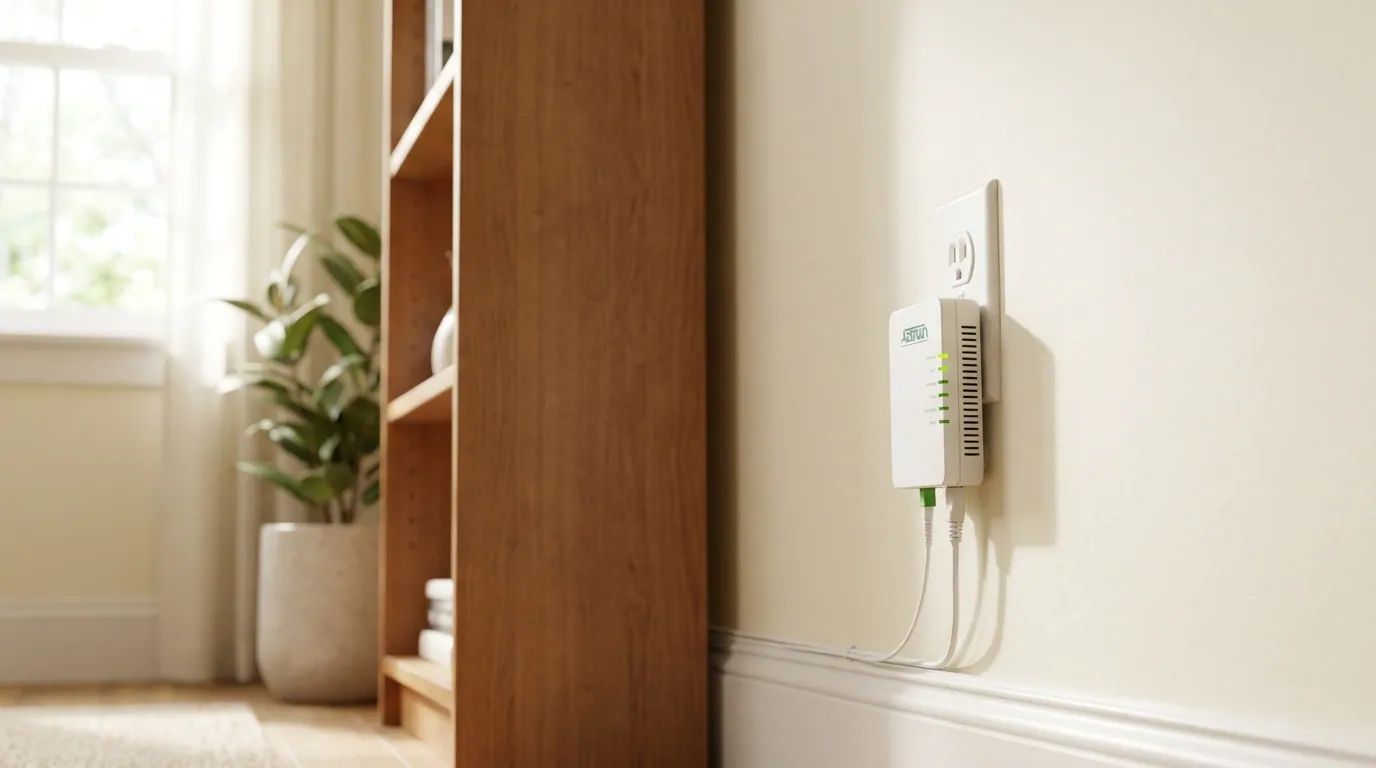
What is the Adtran box plugged into the wall? In most homes, the Adtran box is an Adtran ONT, which stands for Optical Network Terminal. It is a small piece of fiber internet equipment that connects your home to your internet provider’s fiber network.
If you recently moved into a house, changed internet providers, upgraded to fiber internet, or noticed a strange wall-mounted internet box near your router, it is normal to wonder what it does. The simple answer is that the Adtran ONT receives a fiber-optic signal from outside your home and changes it into an Ethernet signal your router can use.
In plain English, the Adtran box is the bridge between the fiber line from the street and your home Wi-Fi router. Without it, your fiber internet connection may not work. That is why it is plugged into the wall, connected to cables, and usually left in place by your internet service provider.
What the Adtran Box Does in a Fiber Internet Setup
The Adtran box plugged into the wall is usually part of a fiber-to-the-home internet setup, also called FTTH or FTTP. Unlike cable internet or DSL internet, fiber internet sends data through thin fiber-optic cables using light signals. These signals are fast, but your normal home router cannot use them directly.
That is where the Optical Network Terminal comes in. The ONT receives fiber-optic light signals through a fiber cable and converts them into electrical Ethernet signals. After that, an Ethernet cable carries the signal from the ONT to your router.
A simple connection path looks like this:
Fiber line from the street → Adtran ONT → Ethernet cable → Router WAN port → Wi-Fi and wired devices
This means the Adtran box is not just a random wall device. It is an important part of your home internet connection. It helps your provider deliver high-speed fiber internet, including gigabit or multi-gig service in some areas.
Think of it this way: the fiber line brings the internet to your home, the Adtran ONT translates the signal, and the Wi-Fi router shares that internet with your phones, laptops, smart TVs, gaming consoles, and other devices.
Is the Adtran Box a Modem, Router, or ONT?
One of the biggest questions people ask is whether the Adtran box is a modem, router, or something else. In most fiber setups, the Adtran box is an ONT, not a normal router.
A modem is usually used with cable internet or DSL internet. It converts signals from coax cable or phone lines. A router, on the other hand, spreads the internet around your home through Wi-Fi and Ethernet ports.
The Adtran ONT does a different job. It converts the fiber signal into a connection your router can use.
| Device | What It Does |
| ONT | Converts fiber-optic signals into Ethernet |
| Modem | Converts cable or DSL signals for internet use |
| Router | Shares internet through Wi-Fi and wired connections |
| Gateway | Combines modem/router-like features in one device |
So, if you are asking, “Is the Adtran box a modem or router?” the best answer is: it acts more like a fiber modem, but technically it is an Optical Network Terminal. In many fiber internet homes, you do not need a traditional cable modem because the ONT handles the fiber signal conversion.
However, the Adtran box usually does not provide Wi-Fi by itself. Your router is normally the device that creates the Wi-Fi network name you connect to.
Why Is the Adtran Box Plugged Into the Wall?
The Adtran box is plugged into the wall because it needs electricity to work. The ONT must stay powered so it can receive the fiber signal, process it, and send an Ethernet connection to your router.
If the Adtran ONT power supply is unplugged, the internet may stop working. If your home phone service or VoIP line also runs through the ONT, that phone service may stop too. Some homes may have a battery backup or UPS connected to the ONT, especially if the provider supports phone service during a power outage.
Common power-related parts include:
| Part | Purpose |
| Power cable | Gives electricity to the ONT |
| ONT power adapter | Converts wall power for the device |
| Battery backup / UPS | May keep service active temporarily |
| Wall outlet | Main source of power |
The ONT is designed to stay plugged in all the time. It may use only a small amount of power, but that power is necessary. If you need to restart it, it is better to follow your provider’s instructions instead of randomly unplugging cables.
What Each Cable Connected to the Adtran Box Does
Many users get confused because the wall-mounted internet box may have several cables connected to it. Some cables are easy to recognize, while others look fragile or unfamiliar.
The most important thing to know is this: do not pull, cut, bend, or remove cables from the Adtran box unless your internet provider tells you to. Fiber cables can be delicate, and damaging one may require a technician visit.
| Cable or Port | What It Usually Does |
| Fiber cable | Brings the fiber internet signal into your home |
| Ethernet cable | Connects the ONT to your router’s WAN port |
| Power cable | Keeps the ONT running |
| Phone jack / phone cable | May support landline or VoIP service |
| Battery backup cable | May connect the ONT to backup power |
The fiber cable is the most important and often the most delicate. It may have a green connector or be labeled as fiber. This cable carries the optical signal from your provider’s network.
The Ethernet cable is usually the cable that runs from the ONT to the router. It may connect to a port labeled LAN, Ethernet, or something similar on the ONT. On your router, it usually goes into the WAN port or Internet port.
The power cable keeps the ONT active. If this cable is unplugged, the ONT may turn off, and your internet connection may go down.
Where Is the Adtran Box Usually Installed?
The Adtran wall box is usually installed where the fiber line enters your home or where it is easy for a technician to connect it to power and your router. Its exact location depends on the building, the provider, and the type of installation.
Common places include:
| Location | Why It May Be Installed There |
| Hallway closet | Easy indoor access and hidden from main rooms |
| Garage wall | Close to utility entry points |
| Basement utility area | Near cables, panels, and equipment |
| Utility room | Convenient for network wiring |
| Near an electrical panel | Close to power and service lines |
| Outside enclosure | Used in some provider setups |
In apartments and rental homes, the fiber box on the wall may already be installed before you move in. A previous tenant or homeowner may have used the same fiber provider. In that case, the box is usually part of the property’s internet setup and should not be removed without checking first.
Can You Unplug, Move, or Remove the Adtran Box?
In most cases, you should not unplug, move, remove, open, or throw away the Adtran box without contacting your internet provider. The box may look simple, but it is part of your fiber internet service.
If you unplug the Adtran box, your internet may stop working. If your home phone line is connected through the ONT, phone service may stop too. If you move the box yourself, you may damage the fiber cable, break the connection, or require a technician to reinstall the service.
Here is a simple guide:
| Action | Should You Do It? |
| Unplug for no reason | No |
| Move it to another room | No, call the provider |
| Open the box | No |
| Pull the fiber cable | No |
| Restart it if provider says so | Yes, follow instructions |
| Keep it plugged in | Yes |
If your internet provider asks you to reboot the ONT, they may tell you to unplug the power for a short time and plug it back in. That is different from removing cables or moving the device.
A helpful rule is: you can restart equipment if support tells you to, but do not relocate or disconnect the fiber line yourself.
What Do the Lights on the Adtran Box Mean?
The Adtran box lights help show whether the ONT has power, whether it sees the fiber network, and whether it is connected to your router. Exact light meanings vary by Adtran model and provider, so your provider’s guide is always the best source. Still, many ONTs use similar labels.
| Light Label | General Meaning |
| Power | Shows whether the ONT has electricity |
| PON | Often shows connection to the fiber network |
| LOS | May mean loss of optical signal |
| Alarm | May show a service or hardware issue |
| Ethernet / LAN | Shows connection to router or device |
| Internet / Broadband | May show service status |
A solid green light often means something is working normally, but that is not guaranteed for every model. A red light, LOS light, or Alarm light may suggest a fiber signal problem, service issue, or hardware fault. A flashing amber light may show activity, startup, or a connection state depending on the model.
If your Adtran ONT red light appears, or the ONT LOS light is on, do not remove the fiber cable. First, check whether the power cable is connected. Then check the Ethernet cable between the ONT and router. If the problem continues, contact your internet provider.
Adtran Box Troubleshooting: ONT Problem or Router Problem?
Not every internet issue is caused by the Adtran ONT. Sometimes the ONT is working fine, but the router or Wi-Fi network has a problem. Understanding the difference can save time.
| Symptom | More Likely Issue |
| No power light on Adtran box | ONT power problem |
| Red LOS or Alarm light | Fiber/ONT/provider issue |
| Ethernet light off | Cable or router WAN port issue |
| ONT lights look normal but Wi-Fi is down | Router or Wi-Fi problem |
| Wired internet works but Wi-Fi does not | Router wireless issue |
| Internet drops after power outage | ONT, router, or provider outage |
Start with simple checks. Make sure the ONT power cord is plugged in. Check whether the router is powered on. Look at the Ethernet cable running from the ONT to the router’s WAN port. If the cable is loose, the router may not receive internet from the ONT.
If the ONT lights look normal but your phone or laptop cannot connect to Wi-Fi, the problem may be your router, not the Adtran box. Restarting the router may help. If the ONT shows a red, alarm, or LOS light, the issue may be with the fiber connection or provider network.
A practical troubleshooting order is:
- Check ONT power.
- Check ONT lights.
- Check Ethernet cable to router.
- Restart the router.
- Contact the internet provider if the ONT shows warning lights.
This helps separate a Wi-Fi problem vs ONT problem.
Who Owns the Adtran Box in Your Home?
The Adtran box is often installed by the internet service provider, which means it may be ISP-owned equipment or provider-maintained equipment. In many homes, the ONT is treated differently from a router. The router may be rented, returned, replaced, or purchased by the customer, while the ONT may stay attached to the property.
However, ownership rules vary. Some providers may treat the ONT as part of their network. Others may have different equipment policies depending on the service agreement, region, or installation type.
Before removing it, throwing it away, or taking it when moving, check with your provider. You can also look for an ONT model number, serial number, or label on the device when calling support. Do not open the device to find this information. Use only the outside label.
What If You Are Moving, Renting, or Canceling Service?
If you are moving out, renting, or canceling internet service, the safest step is to contact the provider and ask what to do with the Adtran ONT.
In many cases, the ONT should stay in the home because it is part of the fiber installation. A router or gateway may need to be returned, but the wall-mounted ONT often remains because it connects the property to the fiber network.
For renters, the situation can be confusing. You may see a rental property fiber box or apartment fiber ONT left by a previous tenant. Do not remove it just because you are not using that provider. Ask the landlord or internet provider first.
If you are renovating, painting, or rearranging a room, be careful around the fiber cable. Cutting or tightly bending the cable can break the connection. Moving the ONT usually requires a technician because the fiber line may need to be rerouted or tested.
Is the Adtran Box Safe to Leave Plugged In?
Yes, the Adtran box is normally safe to leave plugged in when it has been installed correctly and is not damaged. It is designed to run continuously as part of your home internet setup.
Still, basic safety matters. Keep the ONT dry, avoid covering vents, and do not place heavy objects on it. Do not open the box or touch internal parts. If the device is hot, wet, cracked, or making unusual noises, contact your provider.
Fiber cable safety is also important. Do not look into a disconnected fiber connector or optical port. Fiber equipment uses light signals, and while normal installed equipment is safe to use, users should not handle exposed fiber connections.
Good safety habits include keeping the ONT area clean, avoiding water exposure, using a stable power outlet, and keeping the cable path clear. If you need to use a power strip or surge protector, follow your provider’s guidance.
Do You Need to Upgrade or Replace the Adtran Box?
Most users cannot replace an Adtran ONT with a regular modem or store-bought router. The ONT is usually activated, registered, or provisioned by the internet provider. It may be tied to the provider’s fiber network and your service account.
You may be able to upgrade your Wi-Fi router for better wireless coverage, stronger speeds, or a mesh network. But that does not always mean you should replace the ONT. The ONT and router do different jobs.
If you upgrade to faster fiber service, your provider may decide whether the ONT needs to be replaced. For example, some older ONTs may not support certain multi-gig plans. But that is something the ISP handles, not something most customers should do alone.
Common Adtran-related models or series you may hear about include Adtran 411, Adtran 424RG, Adtran 622v, Adtran 600 Series, and SDX 600 Series. Your exact model depends on your provider and installation.
When Should You Contact Your Internet Provider?
You should contact your internet provider when the Adtran box shows signs of a service problem, physical damage, or connection failure. It is better to get support than to guess with fiber equipment.
Call your provider if:
- The Power light is off even though the outlet works.
- The LOS or Alarm light is red.
- The fiber cable is damaged, bent, cut, or loose.
- The box got wet or was hit.
- Internet is down after checking your router.
- You need to move the ONT.
- You are moving, canceling service, or renovating.
- You are unsure whether to return or leave the equipment.
Your provider can check service activation, outages, equipment status, and signal levels. They can also send a technician if the ONT, fiber cable, or outside line needs repair.
FAQs
What is the Adtran box plugged into the wall?
The Adtran box plugged into the wall is usually an Adtran ONT, or Optical Network Terminal. It connects your home to a fiber internet network and converts fiber-optic signals into Ethernet for your router.
Is the Adtran box a router?
Usually, no. The Adtran ONT connects your home to fiber service, while your router provides Wi-Fi and shares the internet with your devices.
Does the Adtran box provide Wi-Fi?
In most home setups, the Adtran box does not provide Wi-Fi. Your Wi-Fi router or gateway usually creates the wireless network.
Can I unplug the Adtran box?
It is best not to unplug the Adtran box unless your provider tells you to. Unplugging it can stop your internet and may also affect phone service if your landline or VoIP runs through the ONT.
What happens if I unplug the Adtran box?
If you unplug it, the ONT may turn off and your fiber internet may stop working. After plugging it back in, it may take a few minutes to reconnect.
Why is my Adtran box blinking?
Blinking lights may show normal activity, startup, router connection, or a signal issue. The meaning depends on the model and provider. If you see a red LOS or Alarm light, contact your ISP.
Do I need a modem with fiber internet?
Many fiber internet setups do not need a traditional modem. The ONT performs the signal conversion that a modem would handle in cable or DSL setups.
Should I take the Adtran box when moving?
Usually, you should not take the wall-mounted Adtran ONT when moving unless your provider specifically tells you to. It often stays with the property as part of the fiber installation.
Is the Adtran box dangerous?
No, it is normally safe when installed properly. However, do not open it, damage the fiber cable, expose it to water, or look into fiber connectors.
Conclusion
The Adtran box plugged into the wall is usually an Optical Network Terminal, or Adtran ONT, used for fiber internet. Its main job is to convert fiber-optic light signals into an Ethernet connection your router can use.
The key thing to remember is that the Adtran box is usually not your Wi-Fi router. It is part of the connection between your internet provider’s fiber network and your home network. It needs power, it should usually stay plugged in, and it should not be moved or removed without provider guidance.
If your internet stops working, the lights and cables on the ONT can help you understand whether the issue is with the fiber box, router, power supply, or provider network. Once you understand that the Adtran box is the bridge between the fiber line and your router, your home internet setup becomes much easier to understand.
Disclaimer
This article is for general informational purposes only and is meant to help readers better understand Adtran boxes, ONTs, and basic home internet setups. Device models, provider policies, installation methods, and troubleshooting results may vary depending on your internet service provider, location, and equipment. For specific issues, always follow your provider’s official guidance.















Leave a Reply